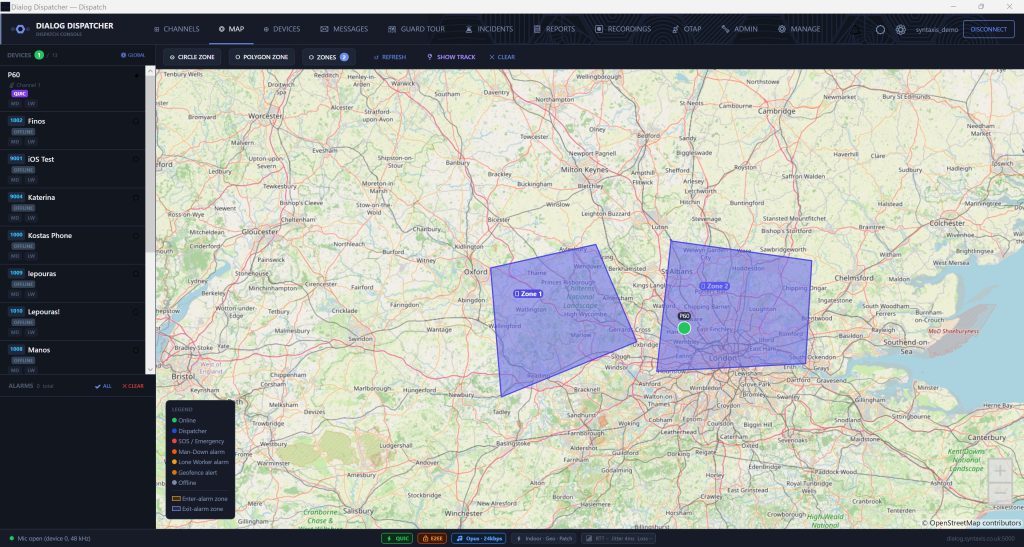
Windows Dispatch Console

DialogDispatcher — PTT Dispatch Console Software

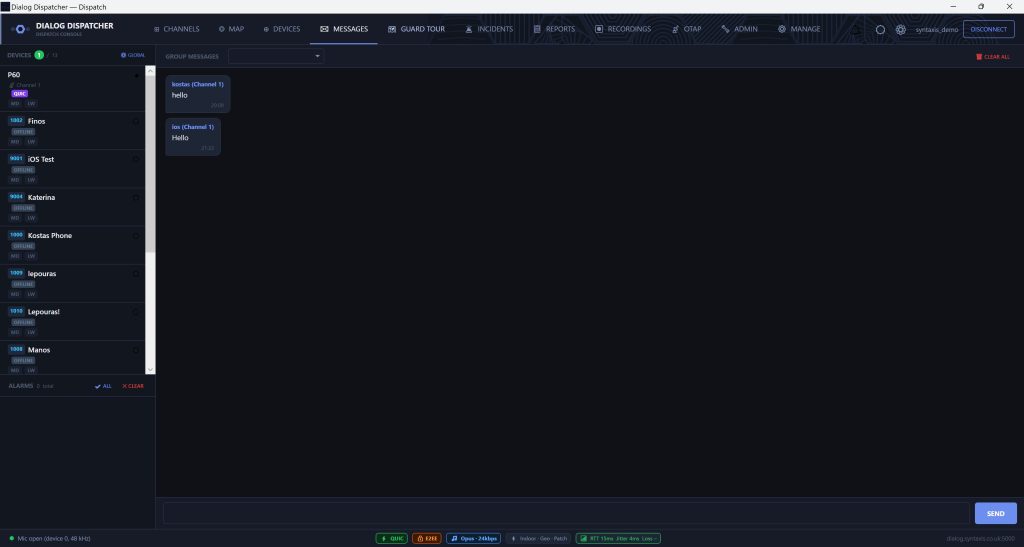
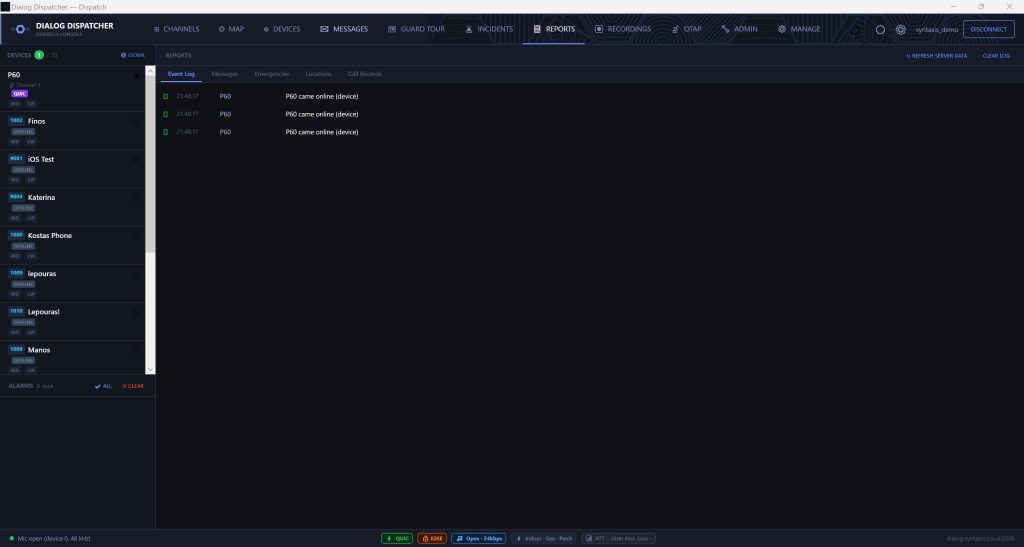
A full-featured Windows dispatcher application for push-to-talk over IP operations. Live map, PTT from desk, incident management, and device control — all in one place.

Core Capabilities

Everything a Dispatcher Needs

DialogDispatcher connects directly to the Dialog PTT server. No browser, no latency — a native Windows application built for operational environments.

🗺️

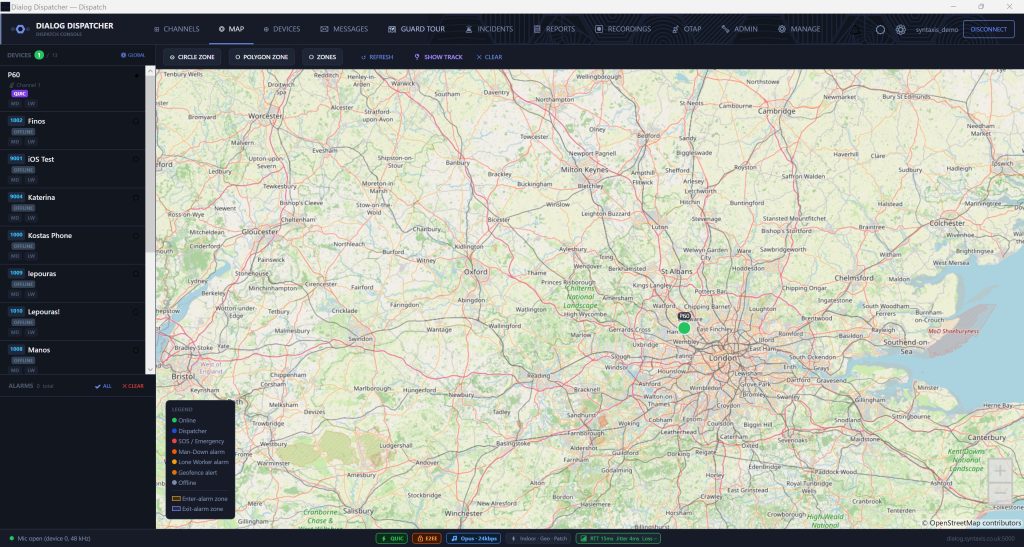
Live GPS Map

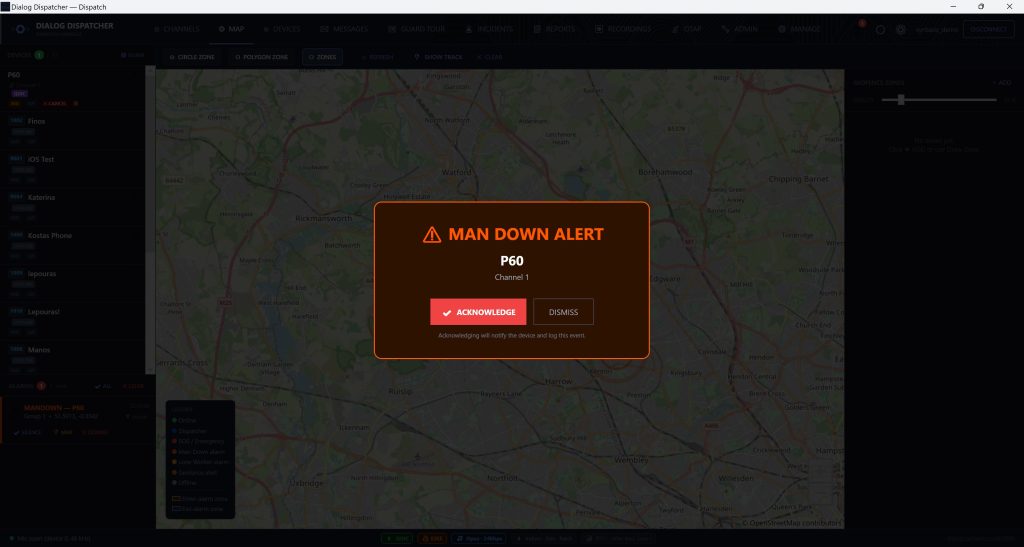
Real-time device positions updated every 5–60 seconds (configurable per device). Colour-coded dots for online, offline, SOS, man-down, and lone worker states. Click any device for a popup with signal strength, battery, and call options.

🎙️

PTT from Desk

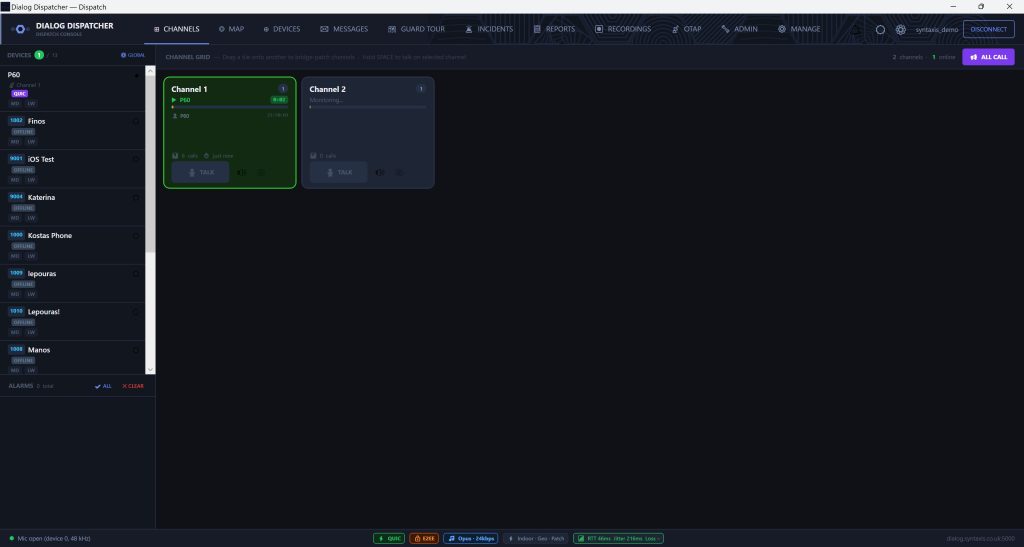
Dispatcher transmits to any talkgroup directly from the Windows app. Uses the PC microphone and speakers. Configurable push-to-talk key or always-on monitoring mode.

📻

Multi-Group Monitoring

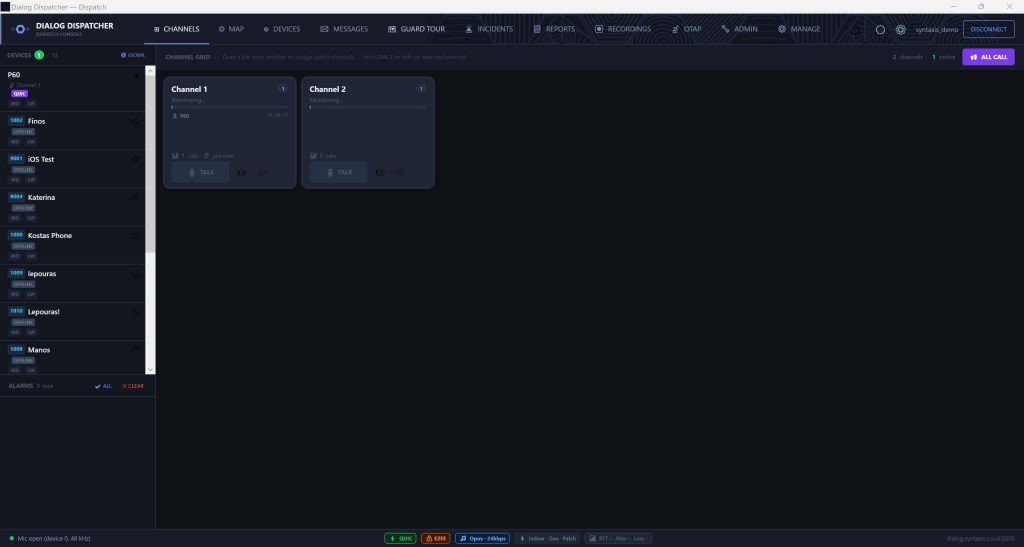
Monitor all active talkgroups simultaneously. Visual TX indicator shows which device is transmitting, in which group, and for how long. Audio mixing for multi-group listen.

🔇

Stun & Unstun Devices

Lock or unlock any device remotely. Stunned devices cannot transmit or receive audio. Useful for controlling devices in restricted areas or managing non-compliant units.

📞

Private Calls

Initiate a one-to-one PTT call to any online device from the map or device list. Instant connect — no ringing, PTT-style. Encrypted with AES-256-GCM end-to-end.

🔴

Recording Playback

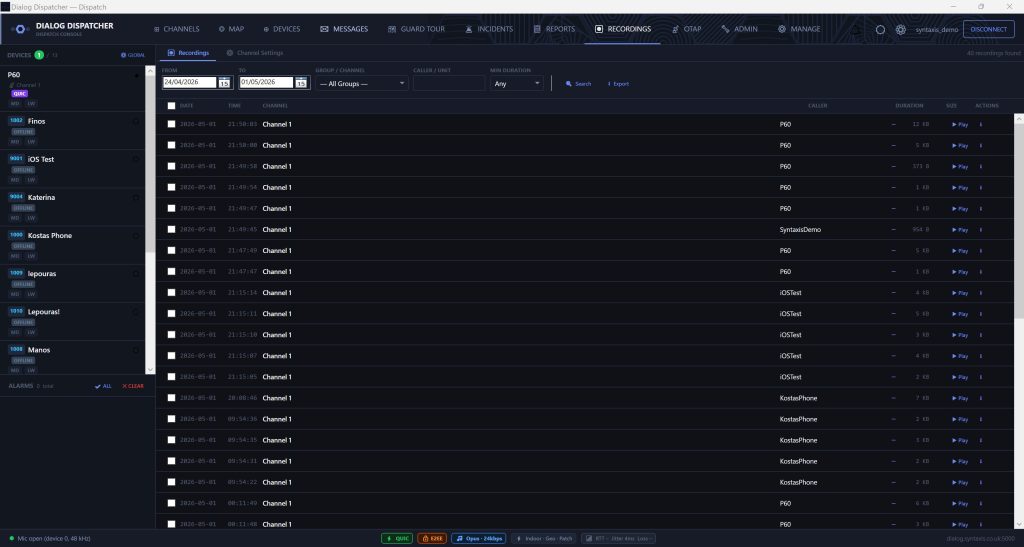
All transmissions are recorded server-side. Browse recordings by group and date. Play back directly in the dispatcher console. Attach recordings to incident reports.

Safety & Incidents

Alarm Management & Incident Workflow

Alarm Dashboard

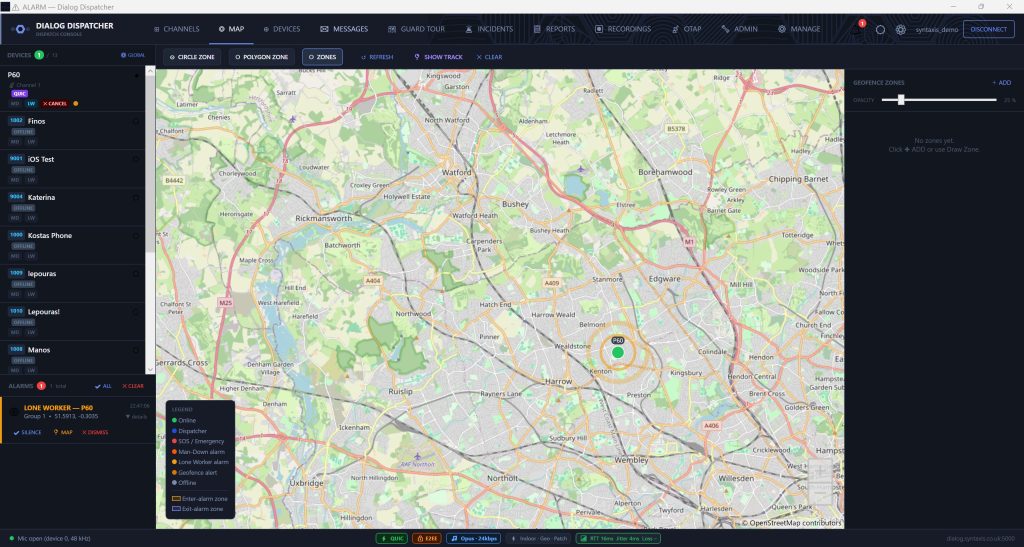
SOS, man-down (tilt/fall), and lone worker check-in failures all surface in the dispatcher as immediate visual and audio alerts. Each alarm type is colour-coded on the live map — red for SOS, orange for man-down, amber for lone worker.

The dispatcher can cancel active alarms remotely via a single button click. The cancellation is sent over-the-air to the device, stopping the hardware alarm without requiring physical intervention.

  • SOS alarm — instant alert with device location
  • Man-down (tilt/fall) detection alerts
  • Lone worker check-in escalation
  • Remote alarm cancel (OTA, from dispatcher)
  • Pulsing map dot for all active alarms

Incident Management

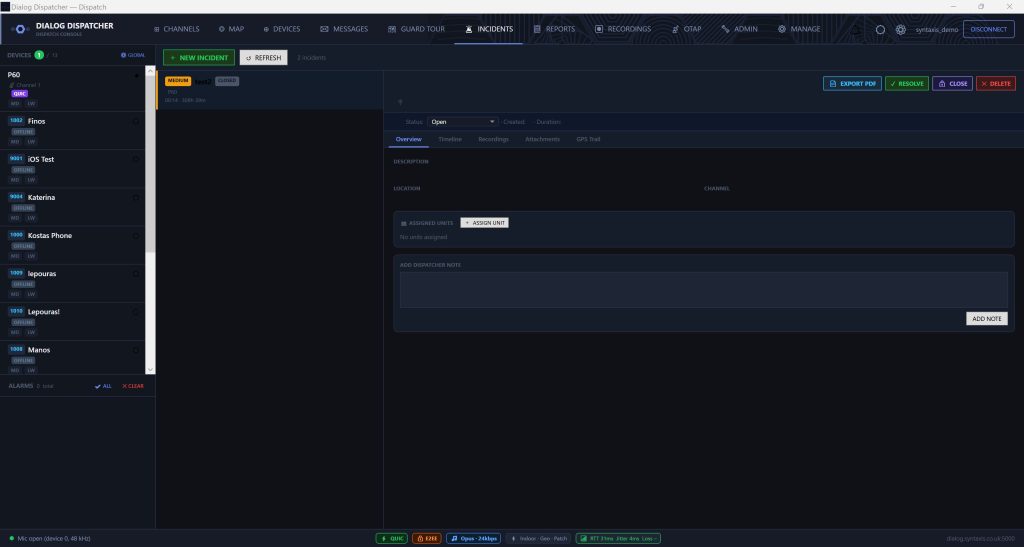
DialogDispatcher has a full incident management module. When an alarm fires (or a dispatcher manually opens one), an incident record is created automatically.

Each incident has five sub-tabs:

  • Overview — incident type, time, assigned units
  • Timeline — chronological event log
  • Recordings — all PTT audio during the incident
  • Attachments — photos, documents uploaded from devices
  • GPS Trail — location history playback

Export a PDF incident report from within the dispatcher at any time.

Device Management

Full Device Control from Dispatcher

📱

Device Status Sidebar

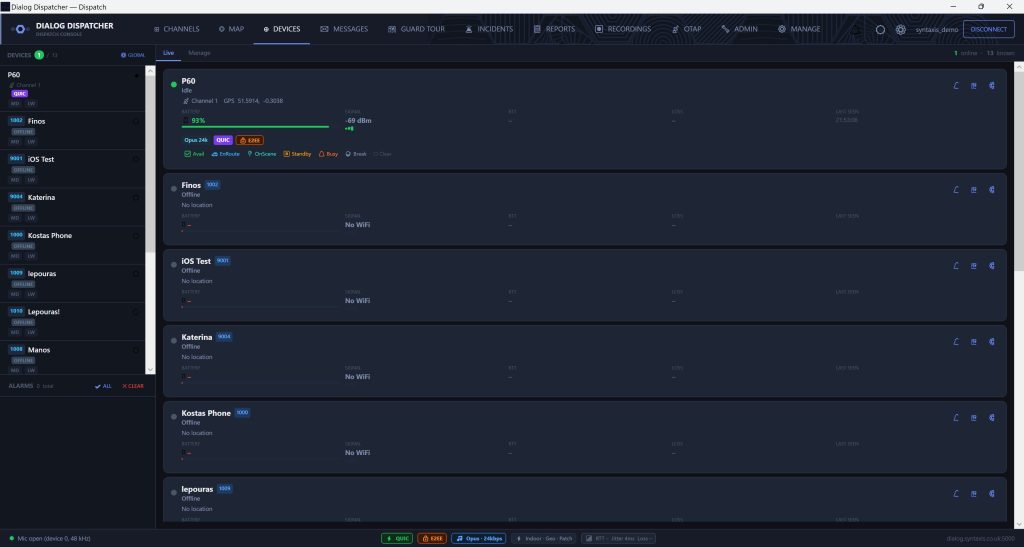
All provisioned devices listed with online/offline status, battery level, LTE/Wi-Fi signal strength, current group, and QUIC/WebSocket transport indicator.

⚙️

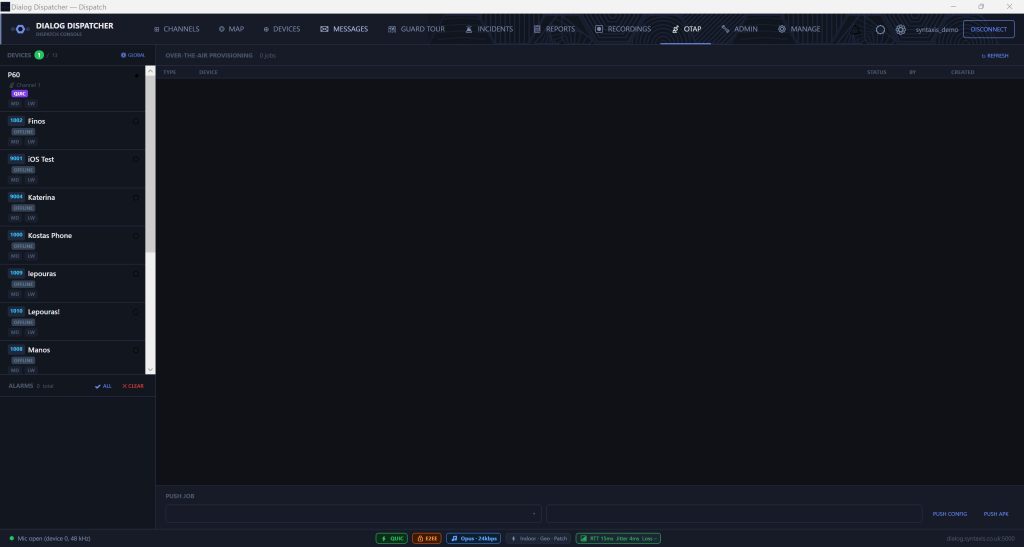
Remote Config Push

Push configuration changes to any device over the air. Update GPS reporting interval, audio quality, noise suppression on/off, VOX sensitivity — no physical access required.

📲

OTA APK Updates

Push new Dialog PTT app versions to devices from the dispatcher console. No Google Play required. Devices download and install automatically. Ideal for Hytera and non-Play radios.

🔑

Password Reset

Reset device account passwords from the dispatcher. Auto-generate a new secure password or set a custom one. Credentials are displayed for the dispatcher to relay to the user.

📡

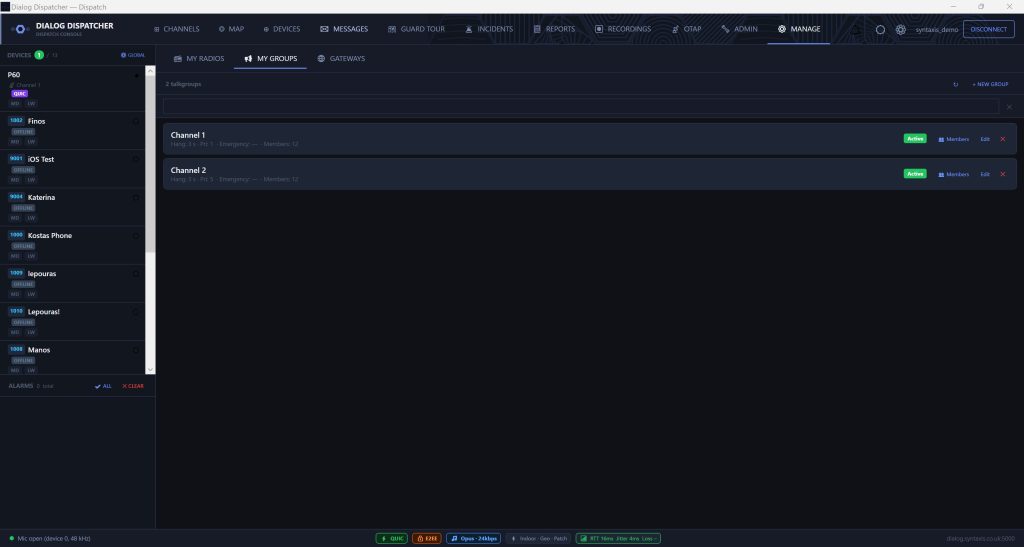
Group Assignment

Assign devices to talkgroups. Changes take effect immediately on the device without requiring a restart or re-provisioning.

🔵

Geofence Management

Draw circle or polygon geofence zones directly on the dispatcher map. Set entry/exit alert rules. Alerts appear in the dispatcher when a device crosses a zone boundary.

System Requirements

DialogDispatcher — Requirements & Deployment

Minimum Requirements

  • Windows 10 (64-bit) or Windows 11
  • 4 GB RAM (8 GB recommended for multi-group monitoring)
  • Microphone + speakers or headset for PTT
  • Internet connection to Dialog PTT server
  • Display: 1280 × 720 minimum (1920 × 1080 recommended)

Deployment Notes

DialogDispatcher connects to your Dialog PTT server (hosted or self-hosted). The server address and credentials are configured at first launch. Multiple dispatcher instances can connect to the same server simultaneously.

Connection is via QUIC (UDP 5002) with automatic WebSocket fallback — works through corporate firewalls and NAT without port forwarding.

See DialogDispatcher in Action

Request a live demo and we'll walk you through the dispatcher on a real system with live devices. Hosted trial environment available the same day.

Request a Demo   Lone Worker Features →