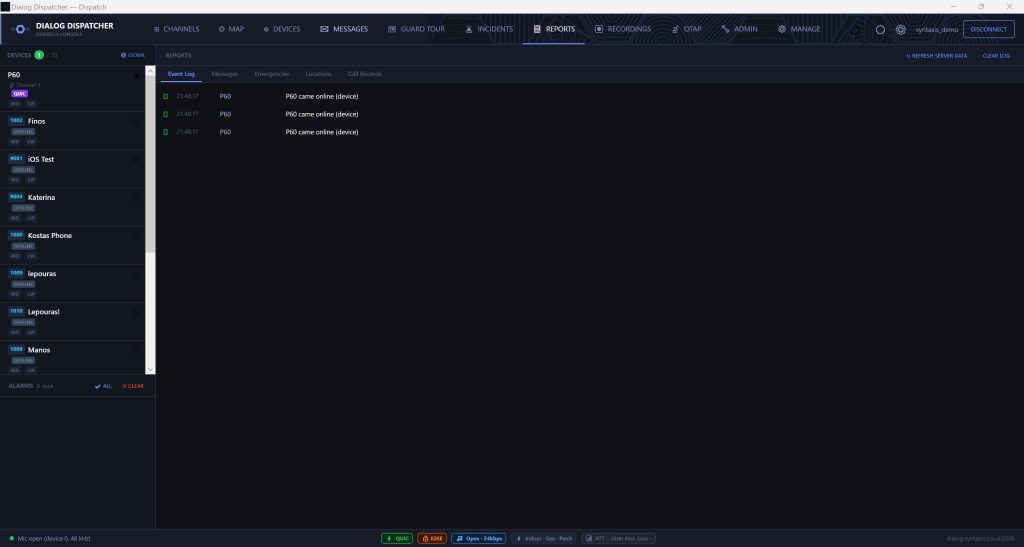
A full-featured Windows dispatcher application for push-to-talk over IP operations. Live map, PTT from desk, incident management, and device control — all in one place.
DialogDispatcher connects directly to the Dialog PTT server. No browser, no latency — a native Windows application built for operational environments.
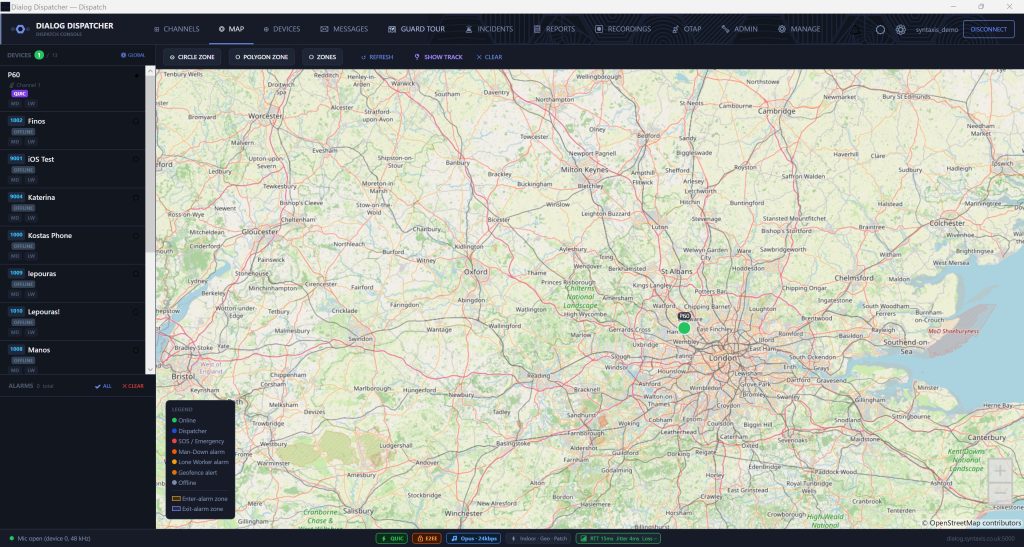
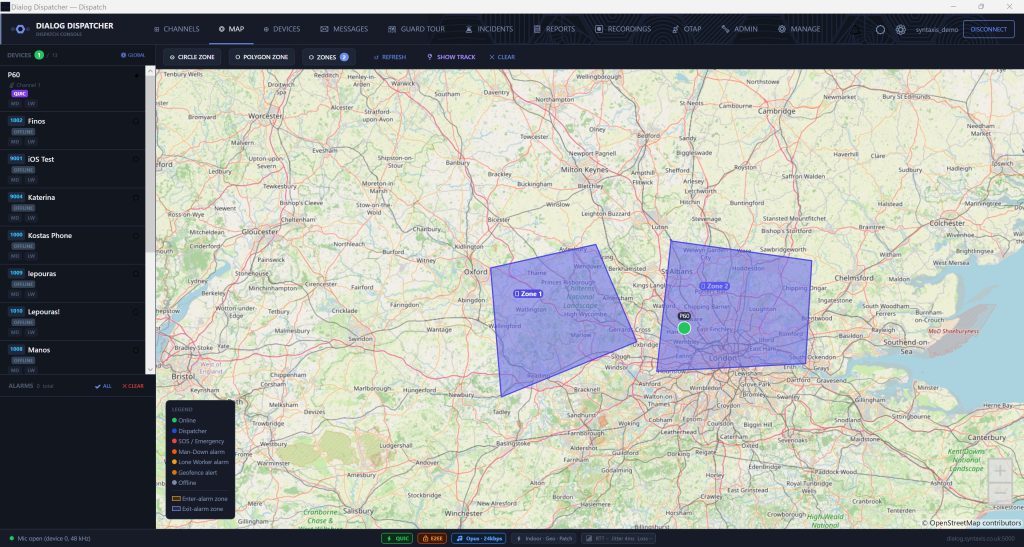
Real-time device positions updated every 5–60 seconds (configurable per device). Colour-coded dots for online, offline, SOS, man-down, and lone worker states. Click any device for a popup with signal strength, battery, and call options.
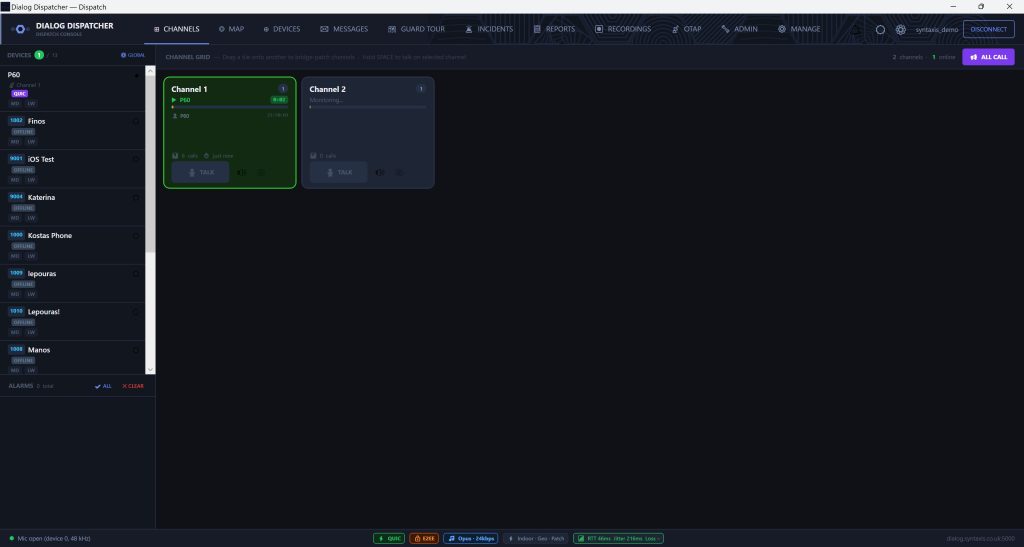
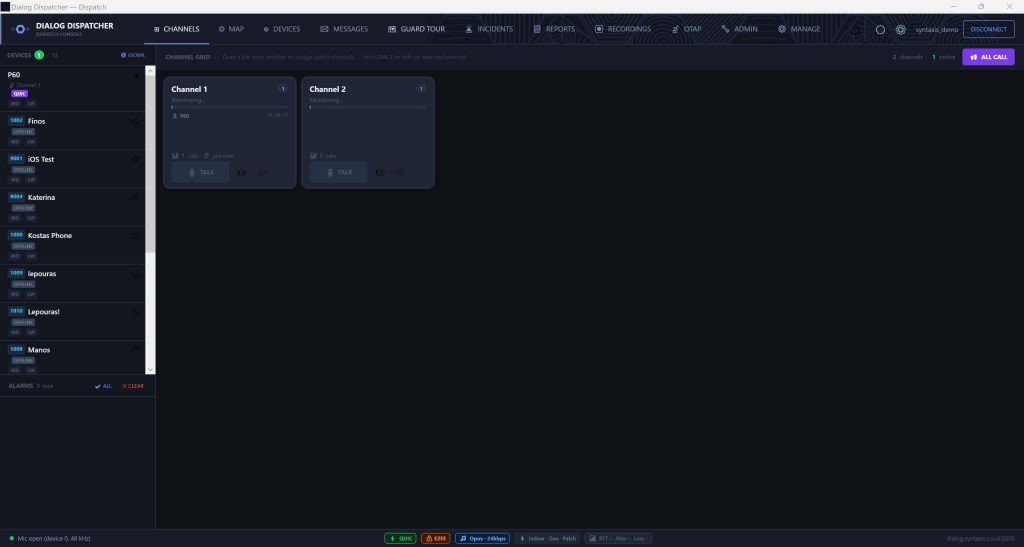
Dispatcher transmits to any talkgroup directly from the Windows app. Uses the PC microphone and speakers. Configurable push-to-talk key, always-on monitoring mode, or a serial foot pedal for hands-free desk PTT.
Monitor all active talkgroups simultaneously. Visual TX indicator shows which device is transmitting, in which group, and for how long. Audio mixing for multi-group listen.
Lock or unlock any device remotely. Stunned devices cannot transmit or receive audio. Useful for controlling devices in restricted areas or managing non-compliant units.
Initiate a one-to-one PTT call to any online device from the map or device list. Instant connect — no ringing, PTT-style. Encrypted with AES-256-GCM end-to-end.
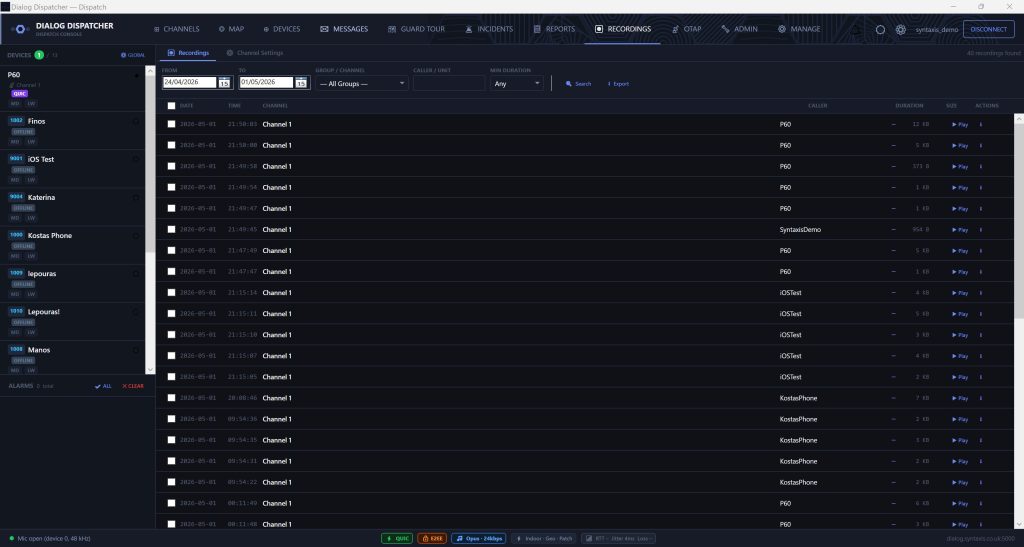
All transmissions are recorded server-side. Browse recordings by group and date. Play back directly in the dispatcher console. Attach recordings to incident reports.
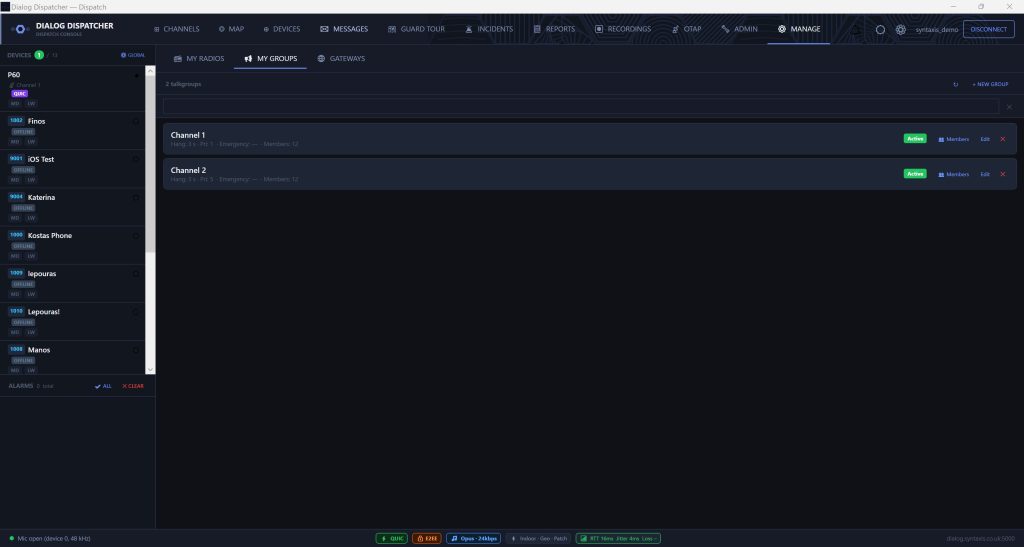
Create an ad-hoc talkgroup on the fly for an incident or job — drop in any online devices, talk, then dissolve it when done. Encrypted by default; no permanent group configuration needed.
"Call me" requests from field devices pop up on the console. One click opens a private call straight back to the device — coordinate without tying up a talkgroup.
Lock a device to a specific channel so it can't be switched away mid-incident — enforced on both the radio and the server, and lifted in one click. Devices can also be auto-locked when they enter an incident zone.
Hold one button to broadcast to every active channel simultaneously — a fleet-wide announcement without switching groups.
Patch two talkgroups together so separate teams can hear and talk to each other during an incident, and un-patch in one click.
Missed a transmission? Replay the last call instantly on the console — or push a replay out to a field radio remotely.
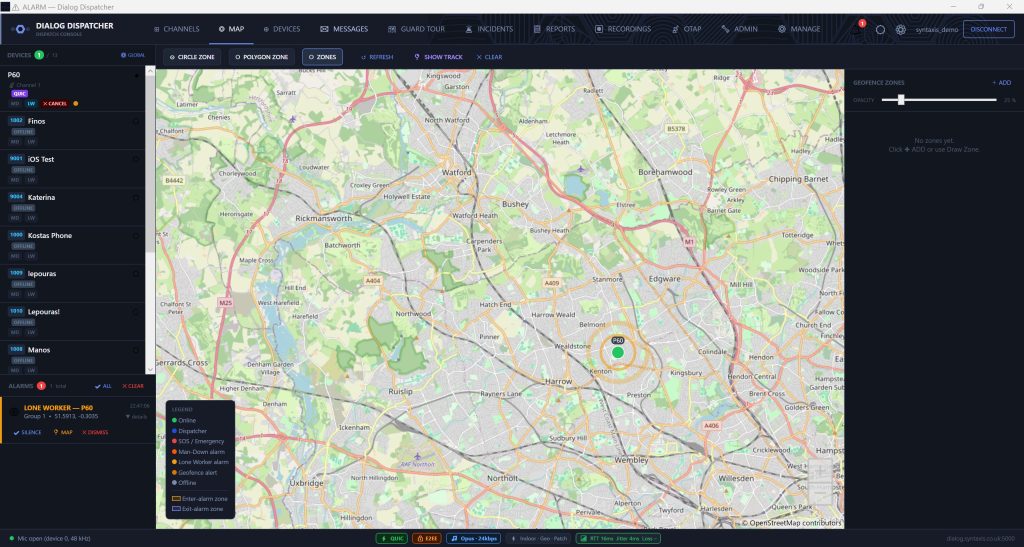
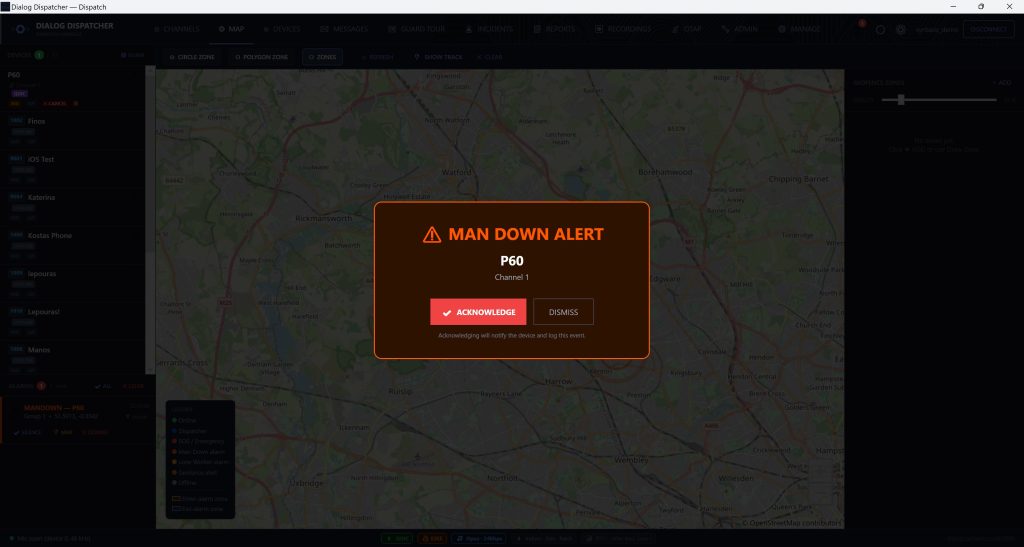
SOS, man-down (tilt/fall), and lone worker check-in failures all surface in the dispatcher as immediate visual and audio alerts. Each alarm type is colour-coded on the live map — red for SOS, orange for man-down, amber for lone worker.
The dispatcher can cancel active alarms remotely via a single button click. The cancellation is sent over-the-air to the device, stopping the hardware alarm without requiring physical intervention.
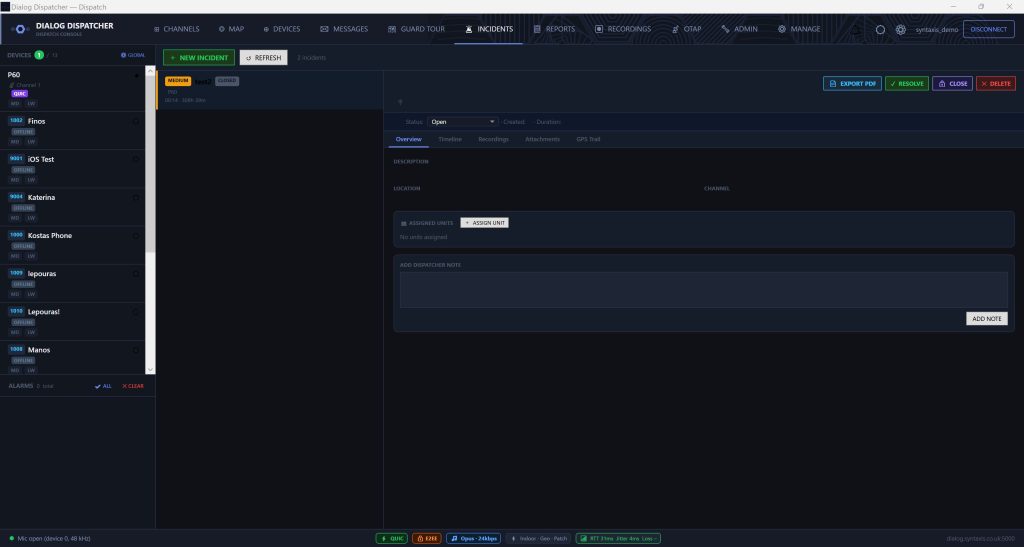
DialogDispatcher has a full incident management module. When an alarm fires (or a dispatcher manually opens one), an incident record is created automatically.
Each incident has five sub-tabs:
Export a PDF incident report from within the dispatcher at any time.
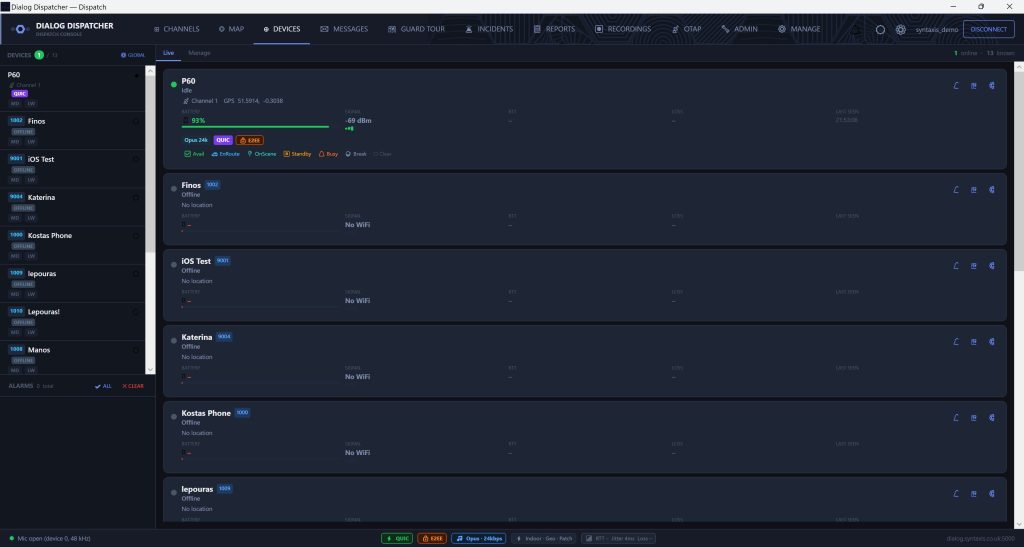
All provisioned devices listed with online/offline status, battery level, LTE/Wi-Fi signal strength, current group, and connection type indicator.
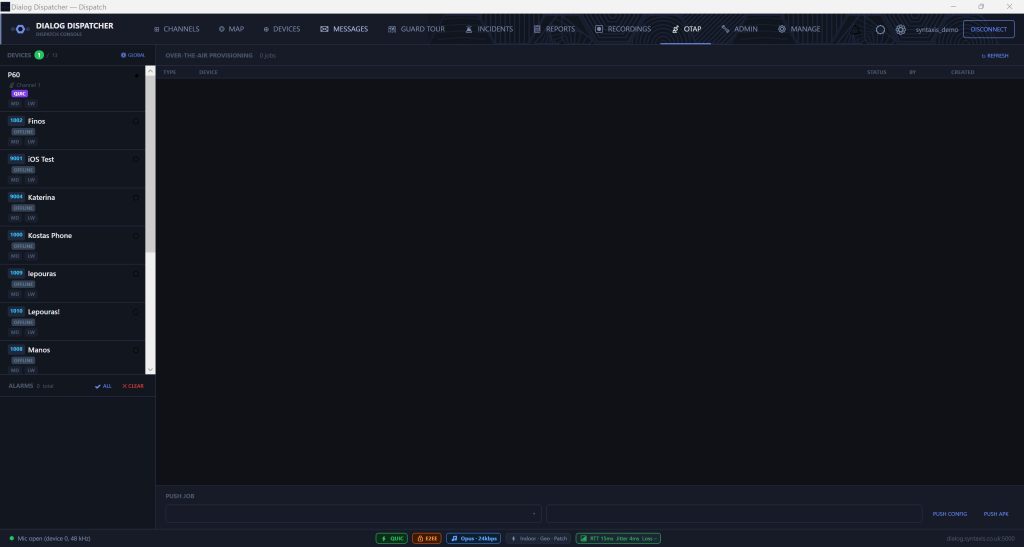
Push configuration changes to any device over the air — GPS reporting interval, audio quality, noise suppression, VOX sensitivity — with no physical access required. Send live remote commands too: change a radio's channel, have it announce its battery aloud, or replay its last call.
Push new Dialog PTT app versions to devices from the dispatcher console. No Google Play required. Devices download and install automatically. Ideal for Hytera and non-Play radios.
Reset device account passwords from the dispatcher. Auto-generate a new secure password or set a custom one. Credentials are displayed for the dispatcher to relay to the user.
Assign devices to talkgroups. Changes take effect immediately on the device without requiring a restart or re-provisioning.
Draw circle or polygon geofence zones directly on the dispatcher map. Set entry/exit alert rules — and optionally auto-lock devices onto a zone's temporary channel the moment they enter, releasing them on exit. Ideal for localised incidents.
Define patrol routes with ordered checkpoints — Bluetooth beacons or GPS waypoints. Track tour progress live and get alerted on missed or late check-ins, all managed from the dispatcher.
A built-in SIMs tab for fleets on managed mobile data — live and offline status, IMEI-lock count, and activate, suspend or resume controls for each SIM.
Export any radio's location trail as KML, GPX or CSV — or bundle the track with its audio in a single ZIP — straight from the map.
DialogDispatcher connects to your Dialog PTT server (hosted or self-hosted). The server address and credentials are configured at first launch. Multiple dispatcher instances can connect to the same server simultaneously.
Connection uses a fast encrypted transport with automatic fallback — works through corporate firewalls and NAT without port forwarding.
Request a live demo and we'll walk you through the dispatcher on a real system with live devices. Hosted trial environment available the same day.
Request a Demo Lone Worker Features →